Tuesday, January 8, 2013

Blender Questions Jan. 8

Hey Donna,

Happy New Year to you as well. It's cool to know that your class is independently producing these projects in blender now. I will try my best to answer questions as soon as I can.

Answer to Question 1. How to extend the animation time line... we tried in the dope sheet...


Answer to Question 2. How do we copy an animated object that has been bone tool-ed.


If you want the copied object to move the same way the first one did, go into object mode, right click on the object, hold shift, then right click on the bone controlling the object, then press shiftD to copy both the bone and it's object. You should now have 2 objects, each with their own bones which move in the same motion.

If you want to take that first object, and make a second copy that doesn't move, follow this image:


Answer to Question 3. How to save files from separate blender files and transfer them to one blender file
Appending files:

http://www.youtube.com/watch?v=KxD7FGeGR9Q


Alex,
alexander.honeywell@gmail.com

Wednesday, December 19, 2012

3D Animation in Hollywood.

Here some examples of what 3D animators do in the industry. You can see that their process is similar to your own 3D animation project. They thought of a story, made the characters and scenes and then rigged and animated them.  

Toy Story 3

Rango


Monday, December 17, 2012

Beginning your 3D animation

Intro to Project
  1. Get into groups. Choose well.
  2. Your animated shorts must tell a story yet can have a simple concept. The story/characters/visuals are there to evoke emotion. Do you want your viewers to laugh, cry, feel angry, feel afraid, etc.
  3. Research other animated shorts:
  • Who are the characters?
  • What is the conflict?
  • Describe the scene, mood, atmosphere, style?
  • What camera perspectives are used? Why?
  • Is the conflict resolved at the end? How?
Planning
  1. Collaborate to generate many ideas about your own animated short (sketch, talk, act out your ideas).
  2. Agree as a group on the best idea for your animated short.
  3. Sketch out a rough storyboard.
  4. Come up with a plan for production: Split up tasks (who works on effects, characters and the scene)

Also, if you want to animate a character with limbs or smalle moving parts, you will need to use bones.

For simple characters that have limbs, watch this:

Skin modifier


If you already have a model that needs to be rigged, watch this:


Rigging a model


Saturday, December 15, 2012

Particles in Blender

Adding a particle system to an object is really awesome if you want to animate hundreds or even thousands of smaller objects or particles. This could be smoke, fire, water, mud, snow, sparks, bees, rocks, trees, ANYTHING! You could use particles in the scene of your animation or even as part of the characters.


Intro to particle systems. 

If you understand this and want to do more with particles, watch these tutorials below. Also check out BlenderGuru.com  because he also uses particle systems in complex ways. 


Dissolving an object


Making a galaxy.

Thursday, December 13, 2012

Animating Objects

Today we began to animate objects. This is where we moved/rotated objects and then took a "snapshot" of the object's location/rotation by inserting a keyframe. To recap what we looked at today, you can watch this this quick tutorial by Blendercookie below.


Blendercookie's intro to keyframing

Remember, the more you experimentation you do and tutorials you watch, the more fun you can have with your final animation project. Again, feel free to email me at alexander.honeywell@gmail.com if you have any blender questions.

Tuesday, December 11, 2012

Textures and more

If you know that you are behind, please watch some of the tutorials above or below to get caught up. If you have a problem in blender, there is a very good chance there is a tutorial to fix it.

Downloading blender would allow you to have the flexibility to improve at home as well.

Today (tuesday) we looked at how to add textures to the objects we have created.
Textures can be found at cgtextures.com. By using textures on a mesh, you can help it look more "realistic" or stylized. Remember, any image can be placed on top of the mesh.

If you have been keeping up, you already have the skills to do a lot.

I also mentioned about Sculpting and Blender's Game Engine. I don't think there is time to go into these, but you can do some amazing things with them.


Sculpting


Game Engine

Thursday, November 15, 2012

Art History Animation

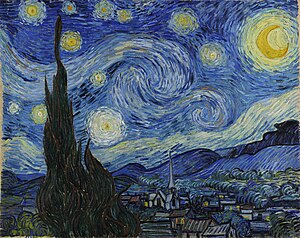
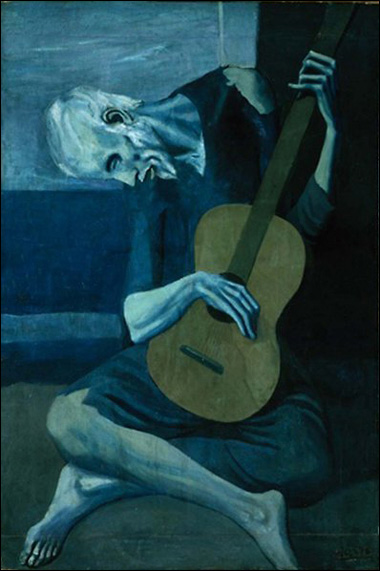
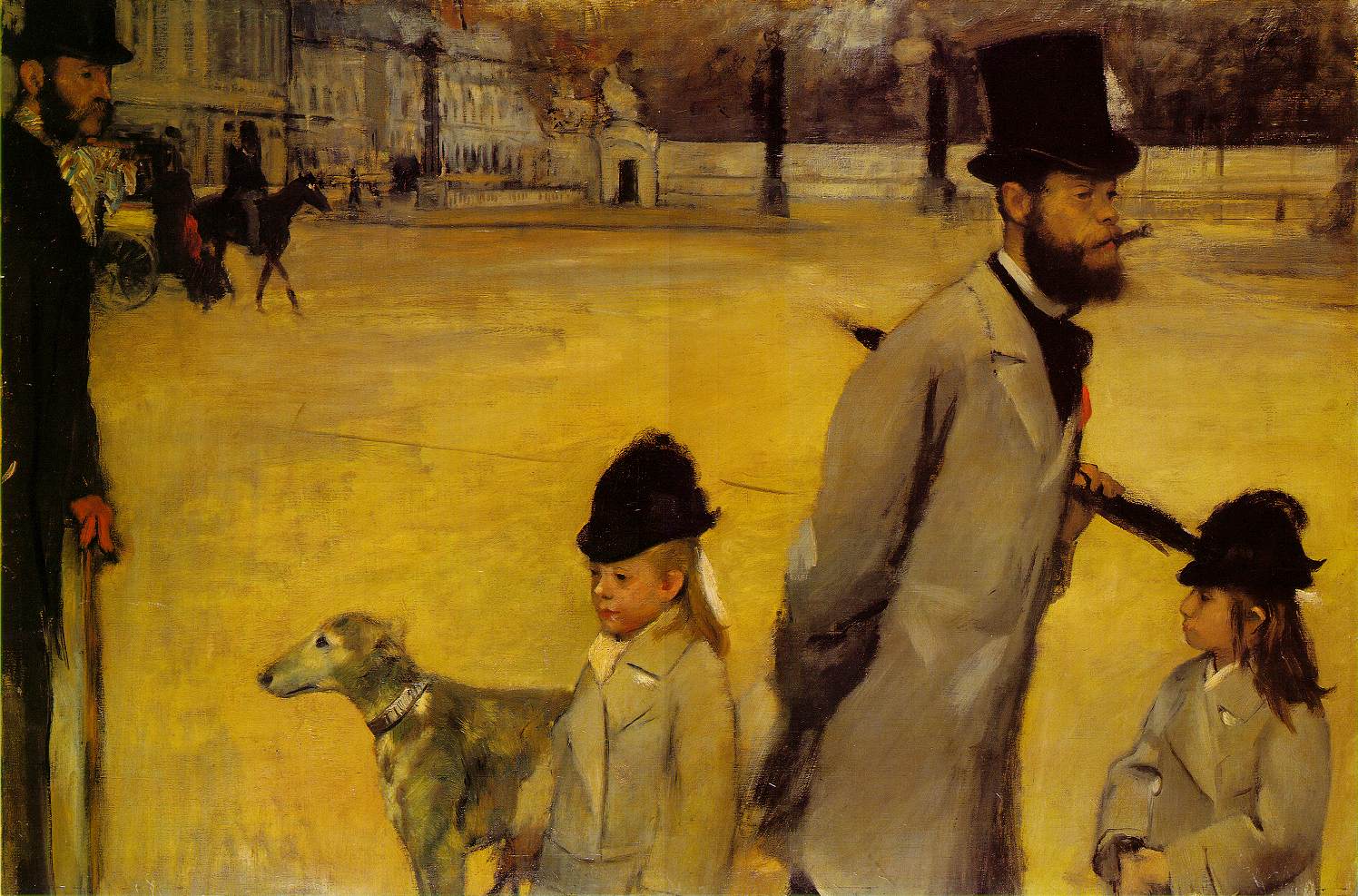
First select an famous painting, photograph, musical score, play, writing... to inspire your animation. Here are a few to get you started. Choose carefully... Then brainstorm a story that you are going to derive from the art historical piece either to start it all off, to meet it in the middle or to conclude your animation. Draw out a story board, establish character(s), your background, a conflict and resolution.
Leonardo DaVinci- Mona Lisa

Vincent VanGogh- Starry Night

Pablo Picasso- The Old Guitarist
Jan Vermeer- The Love Letter
Salvador Dali- Persistance of Memory
Edgar Degas- The Viscount Lepic and his Daughters
Mark Rothko